For Net MD players · Mac & Windows

Your music,
back on MiniDisc.

Drop in your albums and Laserdub writes them to the Walkman in your drawer: SP, LP2 or LP4, with titles, groups and cover art. A native app for Mac and Windows. No account and no internet needed.

For Mac and Windows, with a free trial: your first 10 tracks will be on us.

Mac & Windows

At home on both of your computers.

Not a web page in a wrapper: each app is built with its system's own tools. Liquid Glass on the Mac, WinUI on Windows, and the same tested USB core underneath.

macOS

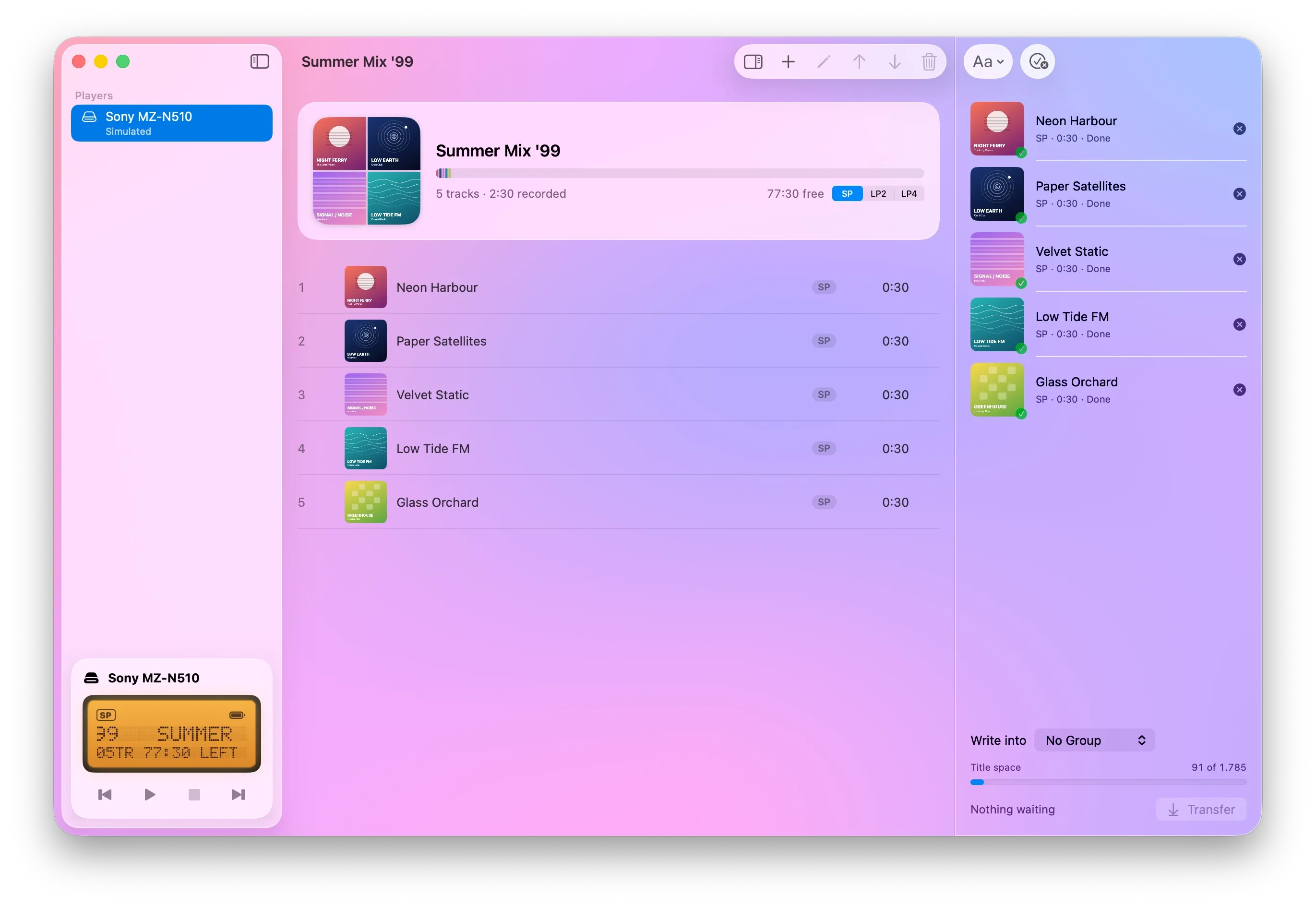
Liquid Glass, and your album art all around it.

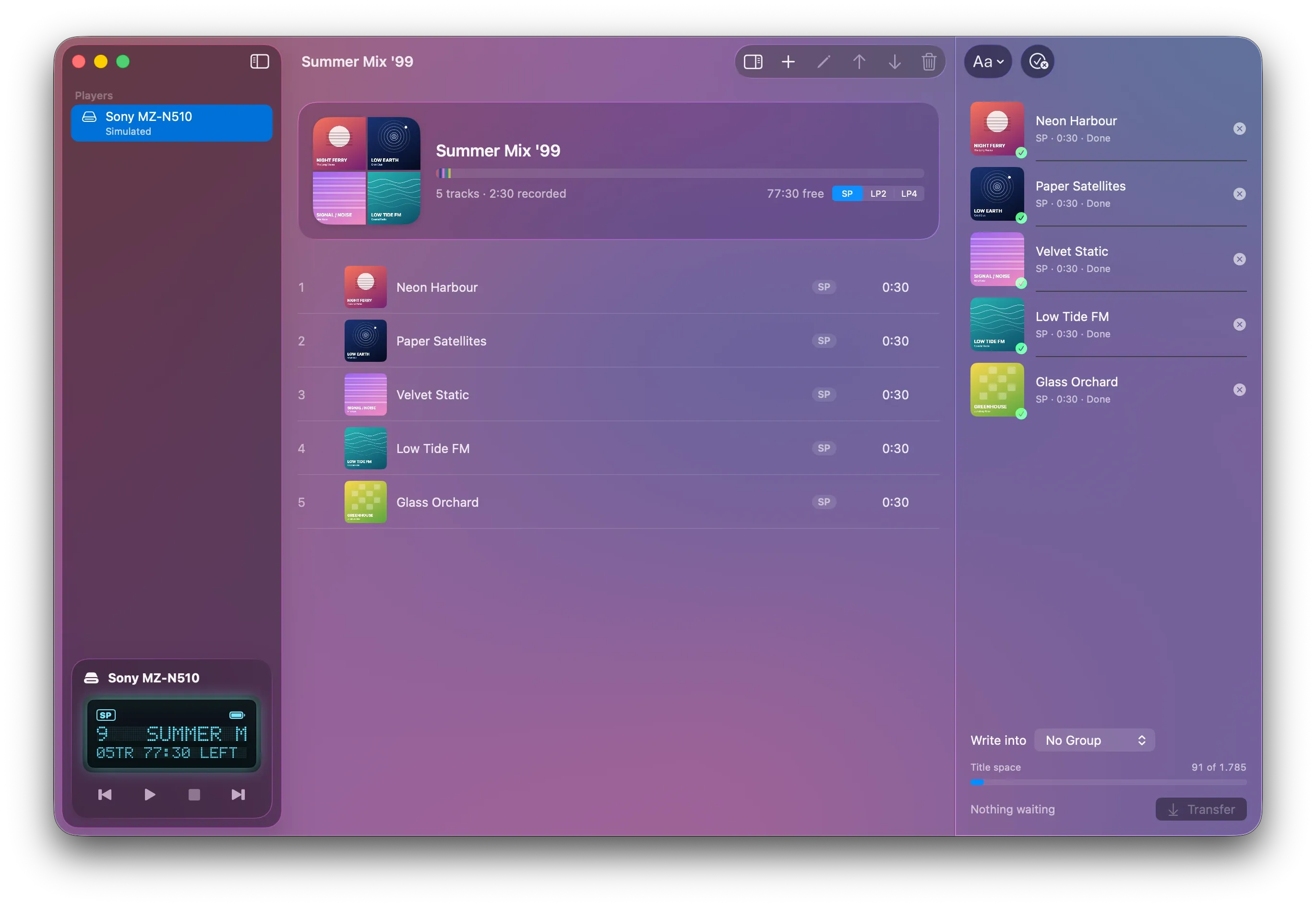
The window takes its colours from your cover art. The player panel shows the disc on a dot-matrix LCD with four backlights, just like the player in your hand.

  • Built in SwiftUI for macOS 26
  • Progress on the Dock icon, and a notification when it's done
  • Keyboard shortcuts for every edit
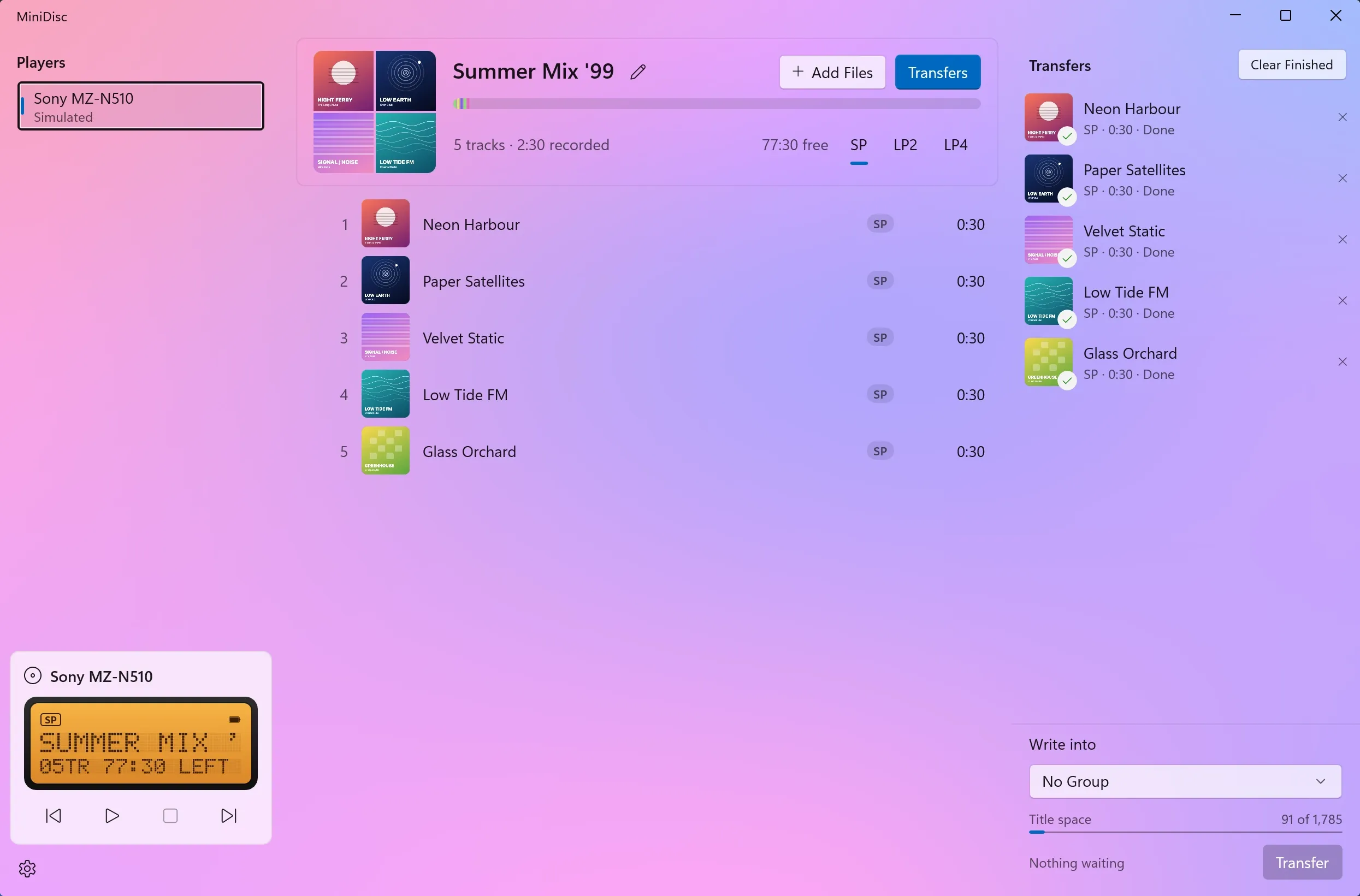
The macOS app showing a disc with five tracks and their cover art The macOS app showing a disc with five tracks and their cover art
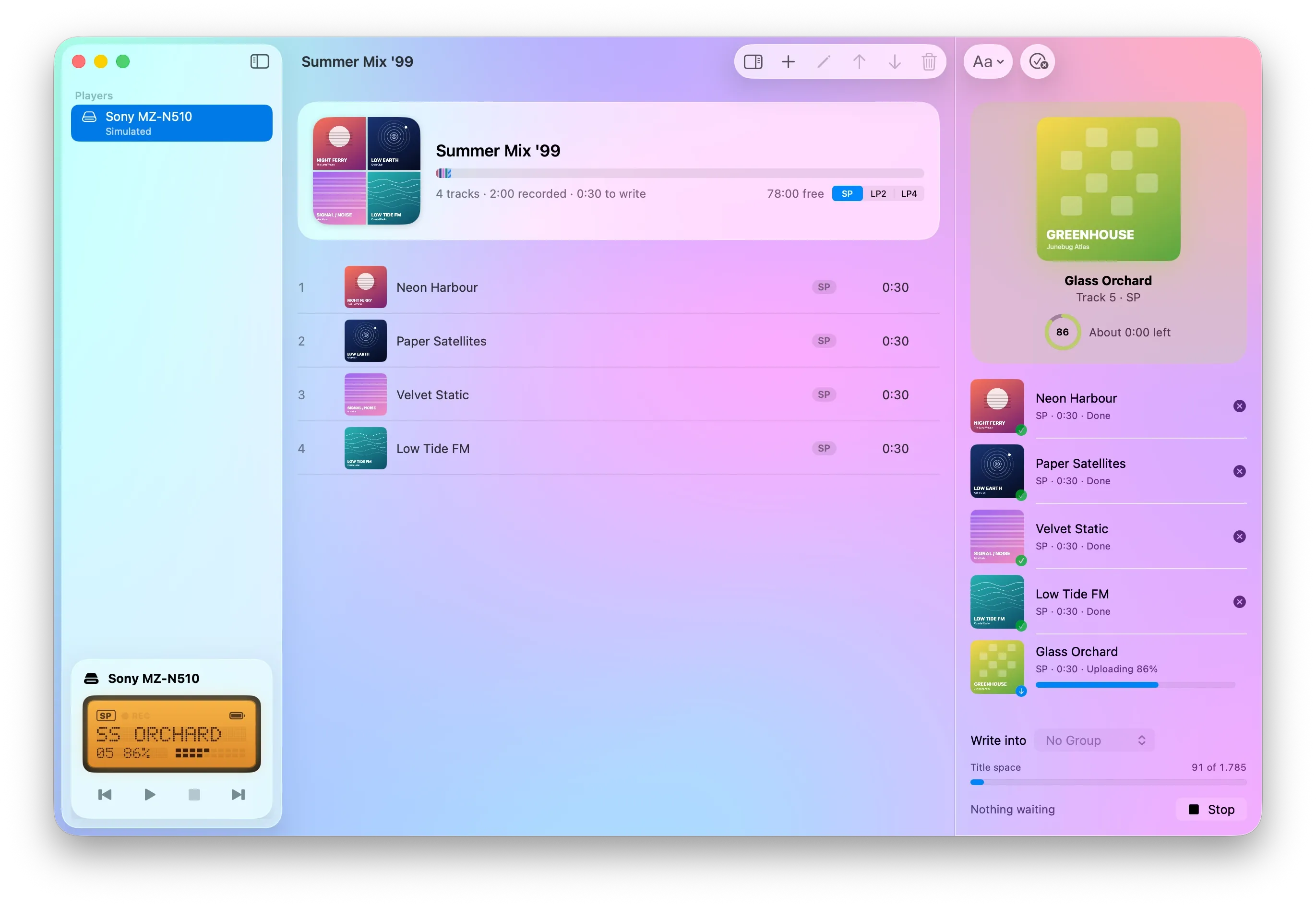
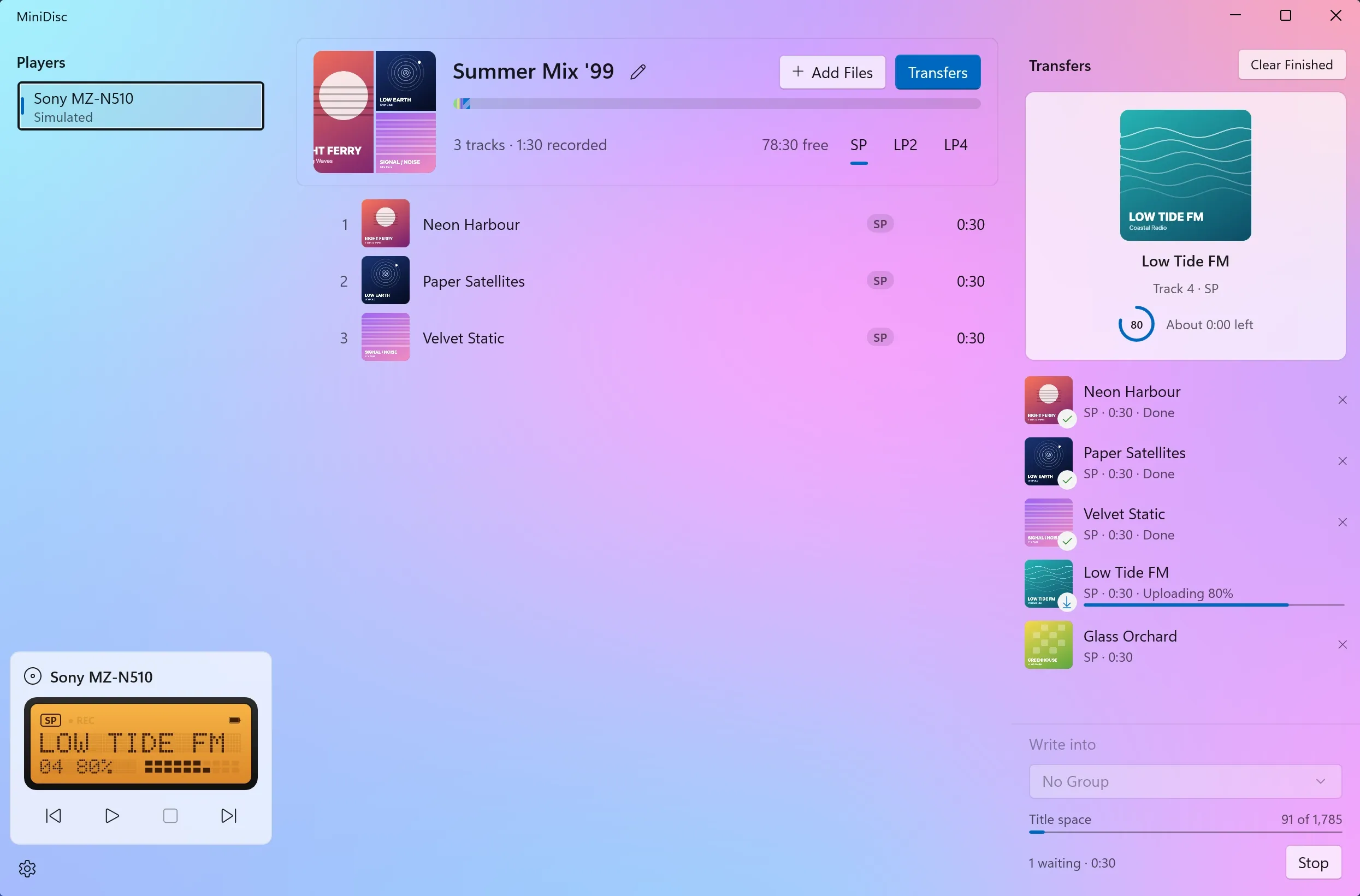
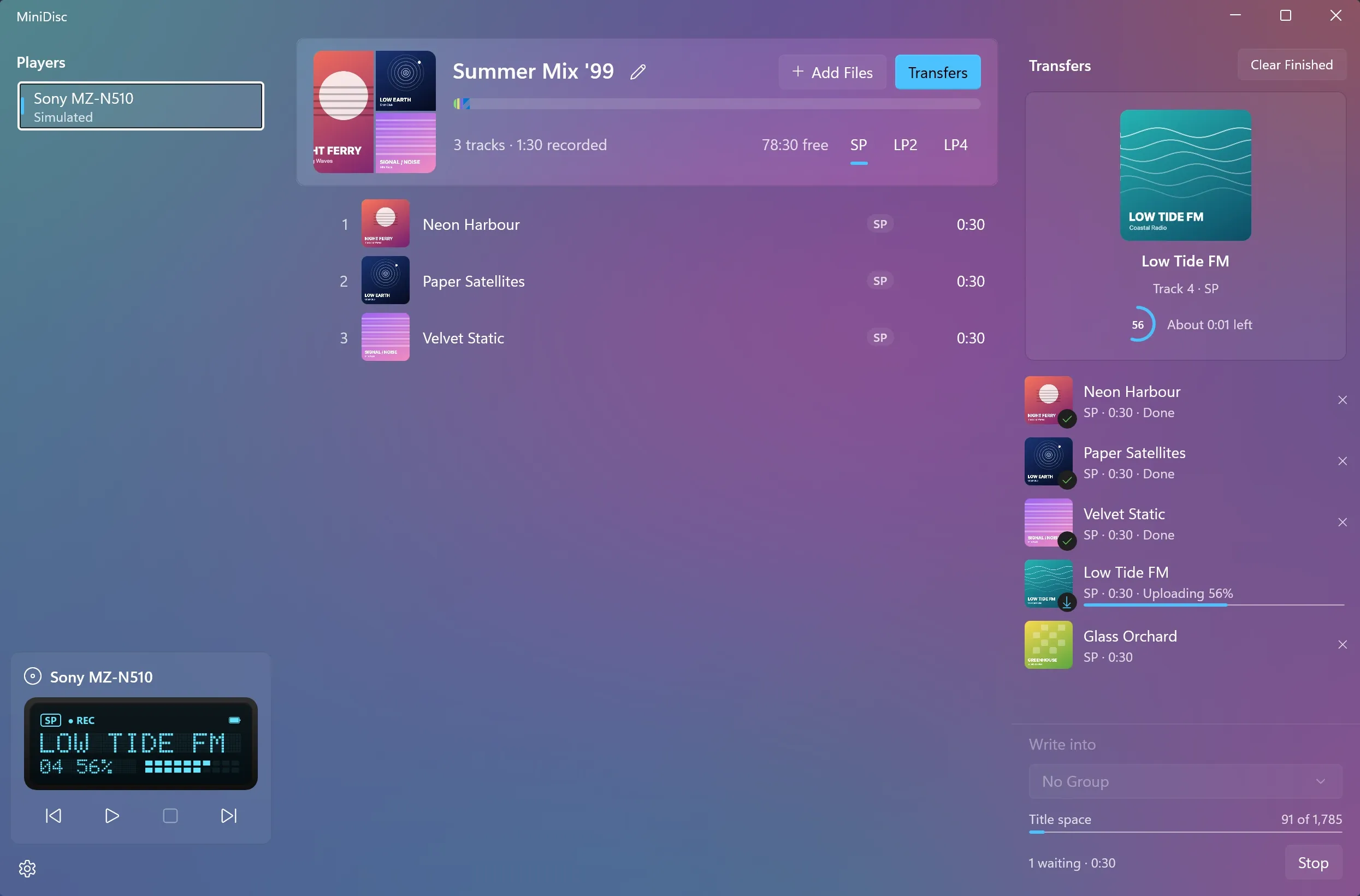
The macOS app writing a track to a MiniDisc player, with the transfer queue open The macOS app writing a track to a MiniDisc player, with the transfer queue open

Windows

Just as good on Windows.

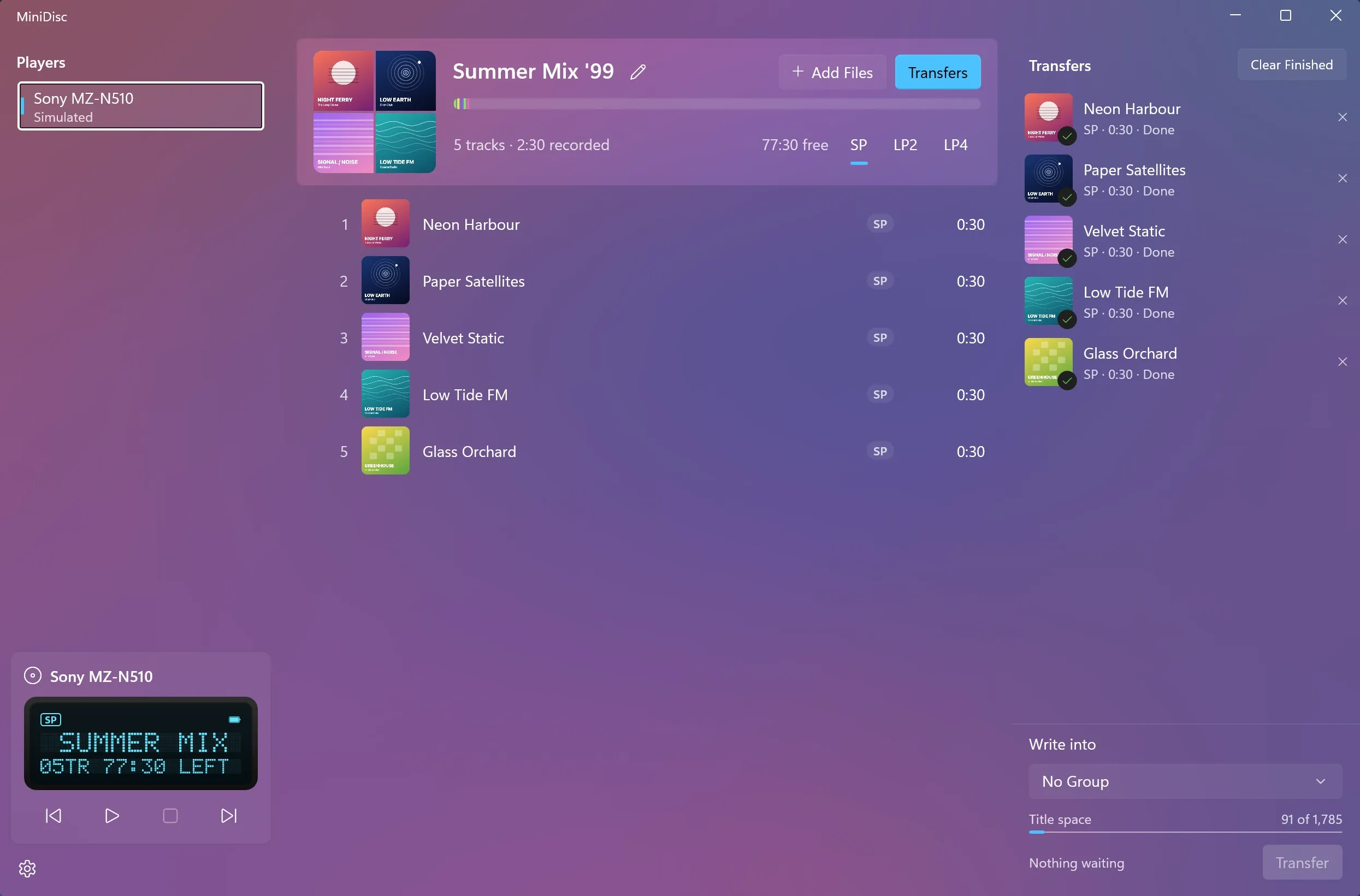
It has the same features as the Mac app, built with WinUI 3, with the taskbar progress bar and Windows notifications. It also sets up the USB driver for your player.

  • Native WinUI 3 for Windows 11
  • x64 and ARM64 installers
  • Your PC won't sleep or sign out in the middle of a track
The Windows app showing a disc with five tracks and their cover art The Windows app showing a disc with five tracks and their cover art
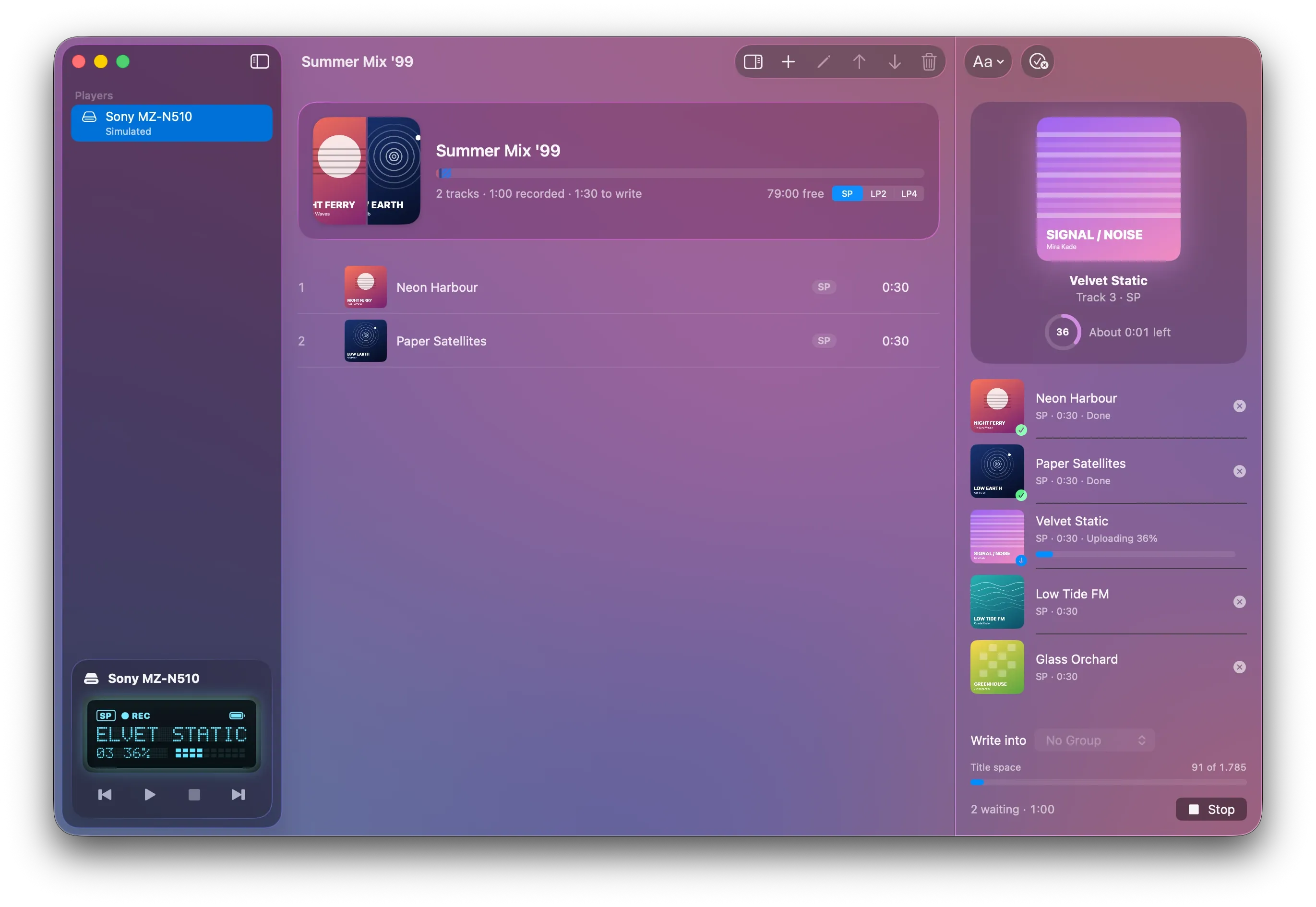
The Windows app writing a track to a MiniDisc player, with the transfer queue open The Windows app writing a track to a MiniDisc player, with the transfer queue open

How it works

Three steps from your files to the disc.

  1. 01

    Plug in your player

    Connect it with a USB cable and it appears in the sidebar. On Windows, a one-time setup installs Windows' own USB driver for the player.

  2. 02

    Drop in your music

    Drag in an album or a few songs. Pick SP, LP2 or LP4, check the titles, and choose a group if you want one.

  3. 03

    Press Transfer

    Watch each track write on the dot-matrix display, then unplug and listen.

Features

Everything Net MD can do.
Without the old software.

The original desktop software has been gone for years. This app talks to the player over USB itself and does all of its encoding on your computer.

SP, LP2 and LP4

Record in SP for the best sound, or in LP2 and LP4 for two or four times as much music. LP tracks are encoded by the app's own ATRAC3 encoder, written from scratch for this app.

Drop in what you have

FLAC, MP3, AAC and WAV, with their tags and embedded artwork. Drag files onto the window, or add them from a menu.

Titles the way the player shows them

Titles come from your tags or a pattern, and each one is previewed as the player will store it. A meter shows how much of the disc's title space is left. Japanese titles are written in both title slots.

Groups

Write an album straight into a new group, or drag tracks in and out of groups afterwards. Players without group support just show the disc's name.

Edit like a playlist

Drag tracks to reorder them, rename them in place, or erase them. Changes show at once and are sent to the player in the background.

Cover art, remembered

A MiniDisc only stores text, so the app remembers each disc's artwork for you. It finds a disc again after a relaunch or an eject, even when the tracks have moved.

Safe on long writes

Your computer stays awake while it writes. Progress shows in the Dock or the taskbar, and you get a notification when it's done. If you quit mid-track, the app waits for that track to finish.

Private by design

No account and no sign-in. The app makes no network requests while you use it, and your music never leaves your computer.

Tested on real hardware

Tested on real players,
not just a simulator.

Each player here passed the same 40 checks over USB: reading the disc, writing in SP, LP2 and LP4, playback, renaming, moving, groups and erasing, plus checks by hand on the player's own display.

  • Sony Passed
    MZ-NH600
    Hi-MD Walkman
    Recording
    SP · LP2 · LP4
    Groups
    Shown on the player
    Checked
    2 Nov 2026
    USB ID
    054c:0186
    Also tested through the app's window
  • Sony Passed
    MZ-NH1
    Hi-MD Walkman
    Recording
    SP · LP2 · LP4
    Groups
    Shown on the player
    Checked
    2 Nov 2026
    USB ID
    054c:017e
  • Sony Passed
    MZ-N910
    Net MD Walkman
    Recording
    SP · LP2 · LP4
    Groups
    Shown on the player
    Checked
    4 Nov 2026
    USB ID
    054c:00c7
  • Sony Passed
    MZ-N707
    Net MD Walkman
    Recording
    SP · LP2 · LP4
    Groups
    Shown on the player
    Checked
    2 Nov 2026
    USB ID
    054c:0086
  • Sony Passed
    MZ-N510 / N610
    Net MD Walkman
    Recording
    SP · LP2 · LP4
    Groups
    Shown on the player
    Checked
    2 Nov 2026
    USB ID
    054c:00c9
  • Sharp Passed
    IM-DR400
    Net MD portable
    Recording
    SP · LP2 · LP4
    Groups
    Ignored safely
    Checked
    15 Nov 2026
    USB ID
    04dd:9013

Next up: Sony MZ-N1, Sony MZ-RH10, Panasonic SJ-MR250. Other Net MD players will very likely work, as they speak the same protocol. The free trial will let you check yours before you buy.

One price, both apps

Almost ready.

Laserdub is in its last round of testing on real players. It will be free to try: your first 10 tracks are on us, so you can check that your player works before you pay. After that, one licence key, bought once, unlocks the app on Mac and on Windows.

macOS 26 or later, Apple silicon or Intel · Windows 11, x64 or ARM64

FAQ

Good questions.

Will it work with my player?

If your player has a USB port and a Net MD logo, it very likely will: all Net MD players speak the same protocol. The players listed above have each passed a full set of checks. The free trial will let you try yours before you buy.

What about Hi-MD?

Hi-MD Walkmans such as the MZ-NH600 and MZ-NH1 work with standard MiniDiscs, in Net MD mode. Discs formatted as Hi-MD use a different protocol, which isn't supported yet.

What does the Windows driver setup do?

Windows doesn't give Net MD players a driver of their own. The first time you plug a player into a USB port, the app offers to install Windows' own USB driver (WinUSB) for it. This needs administrator permission, and the player's maker's software (SonicStage, for Sony) can't use it afterwards. Remove Driver… in the player's menu undoes it.

SP, LP2 or LP4?

SP gives the best sound: 80 minutes on an 80-minute disc, encoded by the player itself. LP2 doubles that and LP4 quadruples it, encoded by the app before the upload. Some older MiniDisc decks, made before the LP modes existed, can't play LP2 or LP4 tracks.

Does it need the internet?

No. There's no account and no sign-in. The app makes no network requests while you use it, and your licence key is checked on your computer.

Can I copy tracks from a MiniDisc back to my computer?

Net MD only allows audio to be sent to the player. Of all the Net MD players, only Sony's MZ-RH1 can send tracks back, and the app doesn't support that yet.

Is it made by Sony?

No. Laserdub is an independent app, not affiliated with or endorsed by Sony or Sharp. MiniDisc, Net MD, Hi-MD and Walkman are trademarks of Sony.